← All business typesFor appointment-led businesses

Let customers choose a service, find a time, and book in minutes.

Publish a polished service page, show useful availability, collect the right details, and keep every appointment connected to staff, customers, payments, and daily operations.
ConsultantsStudiosRepair teamsTutorsCreative professionals
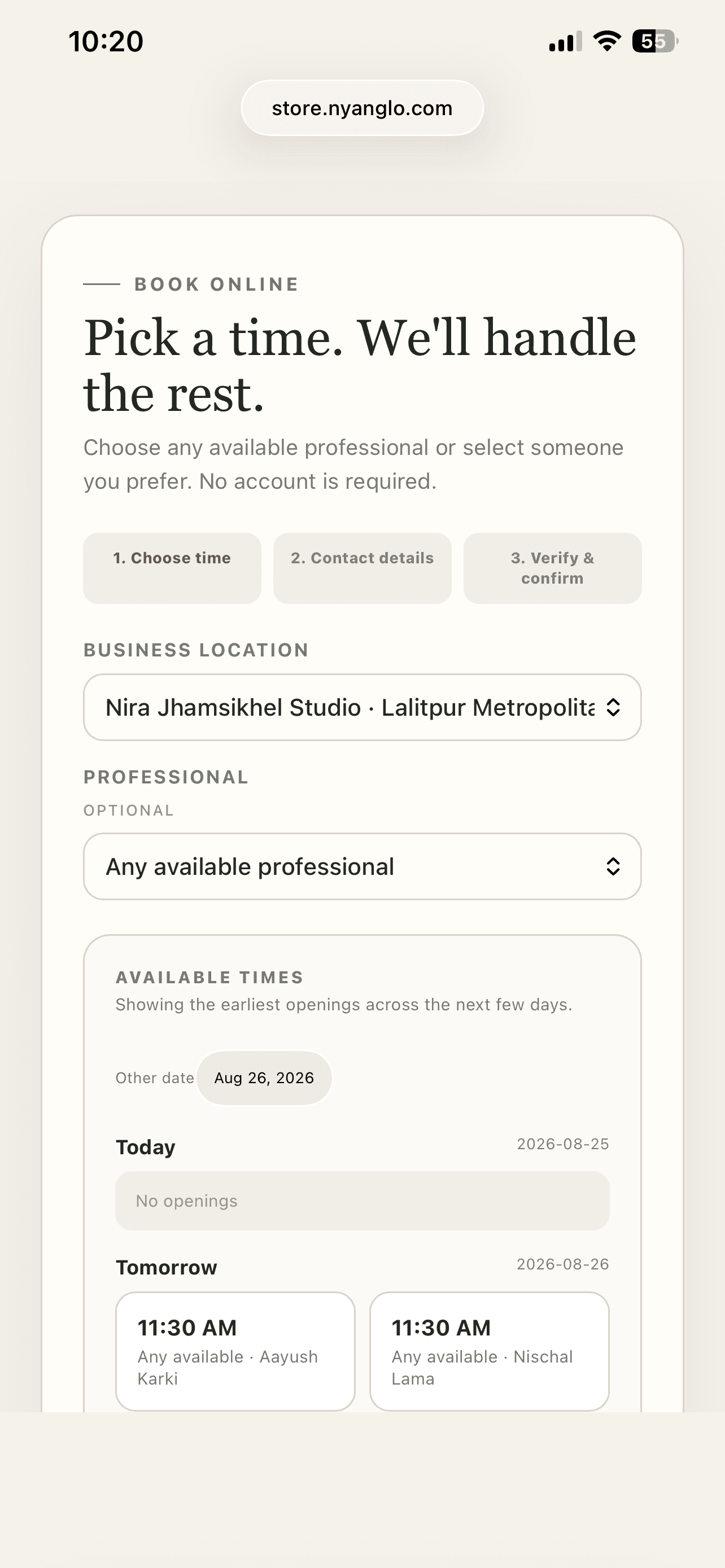
Mobile booking page showing earliest available service times
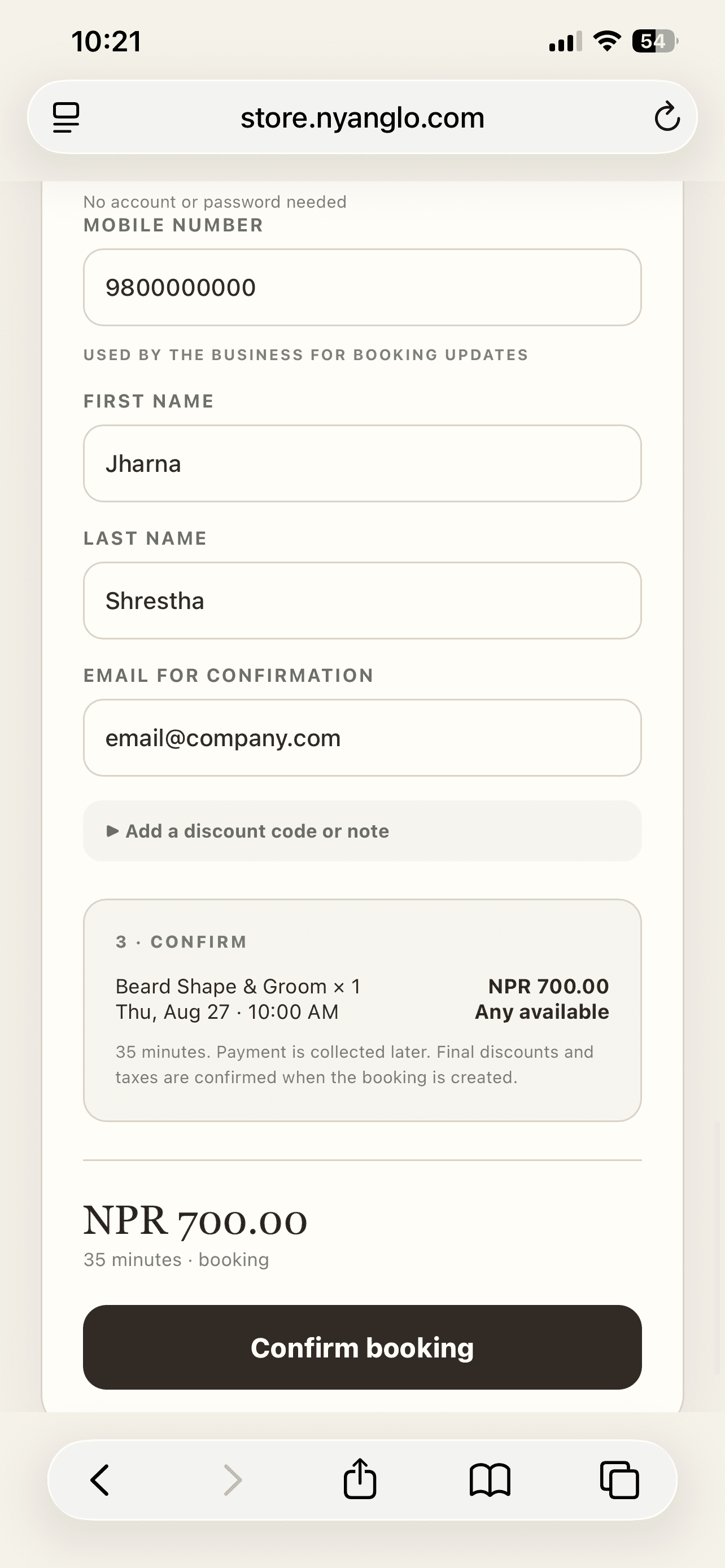
Guest booking confirmation on a mobile phone
✓Guest bookingNo password required
Booking + operationsOne workspace
What changes

Give customers clarity. Give your team context.

01

Flexible service design

Offer durations, tiers, add-ons, participant quantities, packages, and conditional pricing.

02

Availability that stays honest

Connect eligible staff, rooms, equipment, locations, and working hours before accepting a slot.

03

Better client intake

Ask required questions during booking and preserve the exact service snapshot with the appointment.

Easy for clients, useful for your team

A booking flow people can finish. A calendar your team can trust.

Customers see services and earliest openings without learning your scheduling rules. Your team keeps the staff, resource, intake and customer context behind every appointment.
  • ✓Default to any available professional
  • ✓Show useful times before a full calendar
  • ✓Confirm guests with phone and optional email
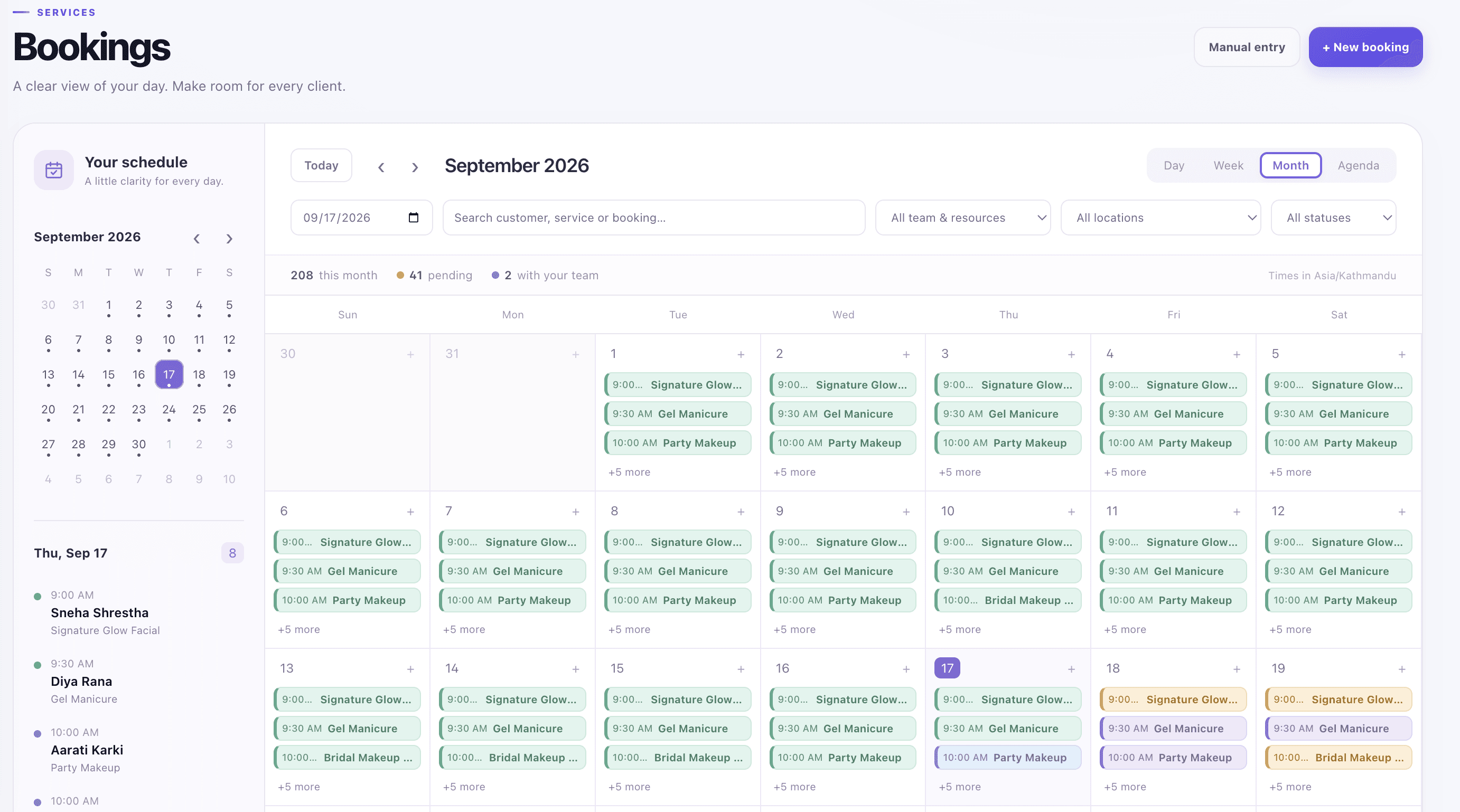
  • ✓Quick-book and manage the day from admin
Start your free workspace →
Booking calendar
Nyanglo booking calendar for service providers
Features

Flexible services without a complicated booking experience.

Configure the detail behind each service while keeping the public journey focused on choosing a service, finding a time and confirming.

Service storefront
Service list displayed in a Nyanglo storefront
Clear service discoveryBrowse · compare · choose · book
◷

Easy online booking

Show earliest openings first and let customers select any available professional by default.

◇

Variants and add-ons

Offer duration choices, extras, quantities and conditional changes to price or service time.

◎

Staff and resources

Connect eligible professionals, rooms, chairs or equipment without exposing scheduling mechanics.

?

Required intake

Collect the answers needed for the appointment and preserve them with the booking snapshot.

▤

Packages and repeat visits

Sell multi-session packages, track usage and make rebooking easier for returning clients.

✓

Walk-ins and reminders

Quick-book from admin or POS, confirm appointments, and send email or SMS notifications.

A shorter path to launch

From setup to a working customer journey.

Start with a guided template and add operational detail when it becomes relevant. Nyanglo keeps the underlying records connected as the business grows.

  1. 1
    Describe the serviceBegin with the right workspace and presentation.
  2. 2
    Add options and resourcesConfigure only the choices your customers and team need.
  3. 3
    Publish your booking pageConfigure only the choices your customers and team need.
  4. 4
    Manage the day from one calendarUse the same records for day-to-day operations.
Included in the workflow

Built for the details behind Services.

✓Online and walk-in bookings
✓Packages and add-ons
✓Customer-location services
✓Email and SMS-ready reminders
✓POS service checkout
✓Role-based staff access
Interactive example

See the customer side before building your own.

The demo uses seeded catalog, pricing, resources, availability, checkout, and booking data. It is fictional and safe to explore.

Live storefront demoTry the Nira booking experience ↗
Start free

Build the version your customers can use—not another generic listing.

Create your free workspaceBack to Nyanglo