← All business typesFor product-led businesses

Build an online shop that stays connected to the way you sell.

Launch a branded storefront and sell online or at the counter from one catalog, with variants, business-currency pricing, stock, orders, customers, returns, and receipts kept together.
BoutiquesGift storesBeauty retailSpecialty shopsLocal brands
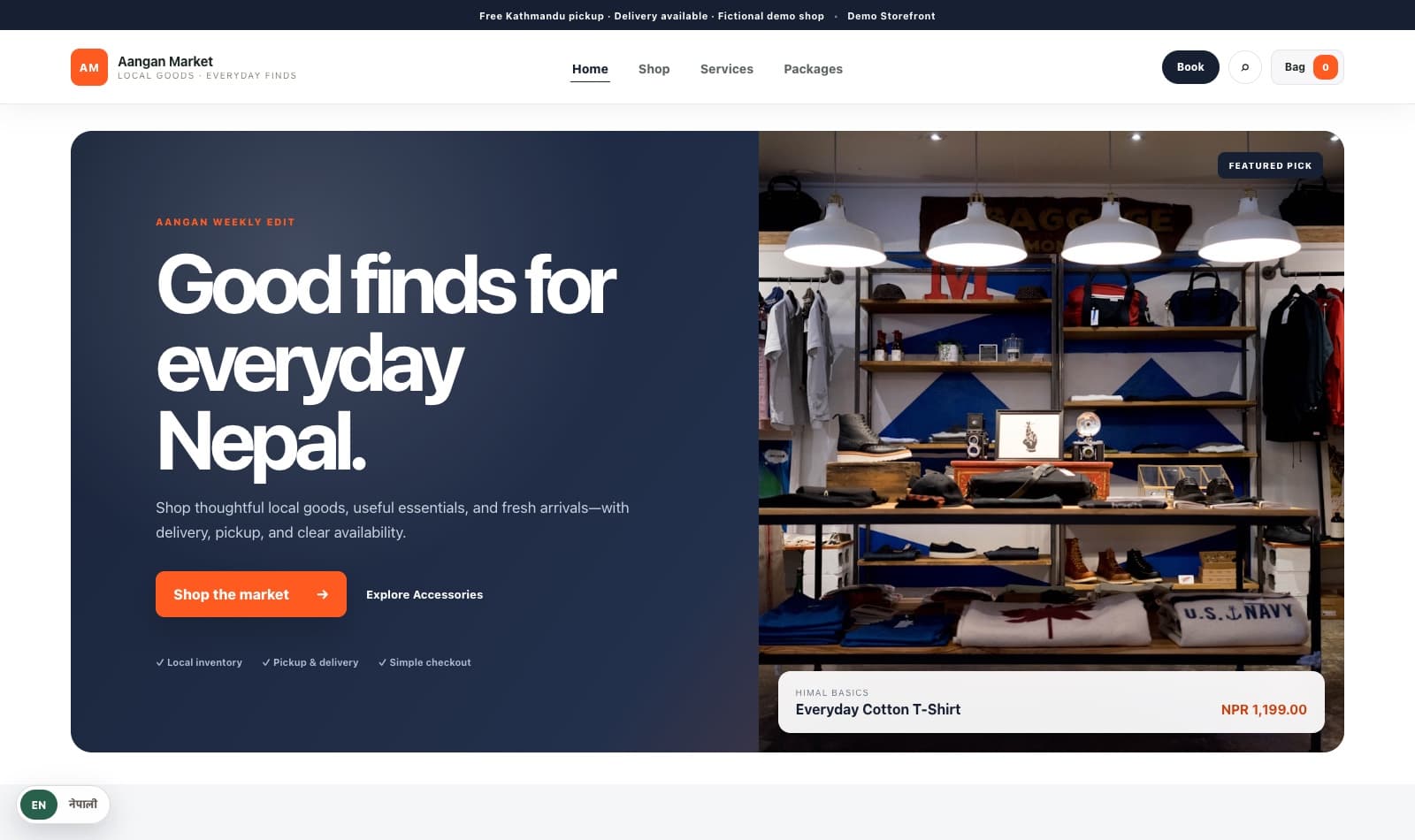
Aangan Market · live storefront
Aangan Market retail storefront built with Nyanglo
✓InventoryStock stays connected
Order paidNPR 2,450Ready to fulfil
Storefront + POSOne workspace
What changes

Give customers clarity. Give your team context.

01

One canonical catalog

Manage product options, media, SKUs, prices, collections, and channel publication without duplicate listings.

02

Faster counter sales

Search or scan, take split tenders, hold carts, print receipts, and continue through temporary connectivity loss.

03

Stock you can act on

See availability by location and carry the same inventory truth into storefront and POS decisions.

Built for real selling

From product page to paid order, without losing track of stock.

Nyanglo carries the same product, price, inventory and customer context from the online store into checkout, fulfilment, POS and returns.
  • ✓Publish once across storefront and POS
  • ✓Calculate shipping, discounts and tax at checkout
  • ✓Manage fulfilment, returns and receipts
  • ✓See sales and inventory from the admin
Start your free workspace →
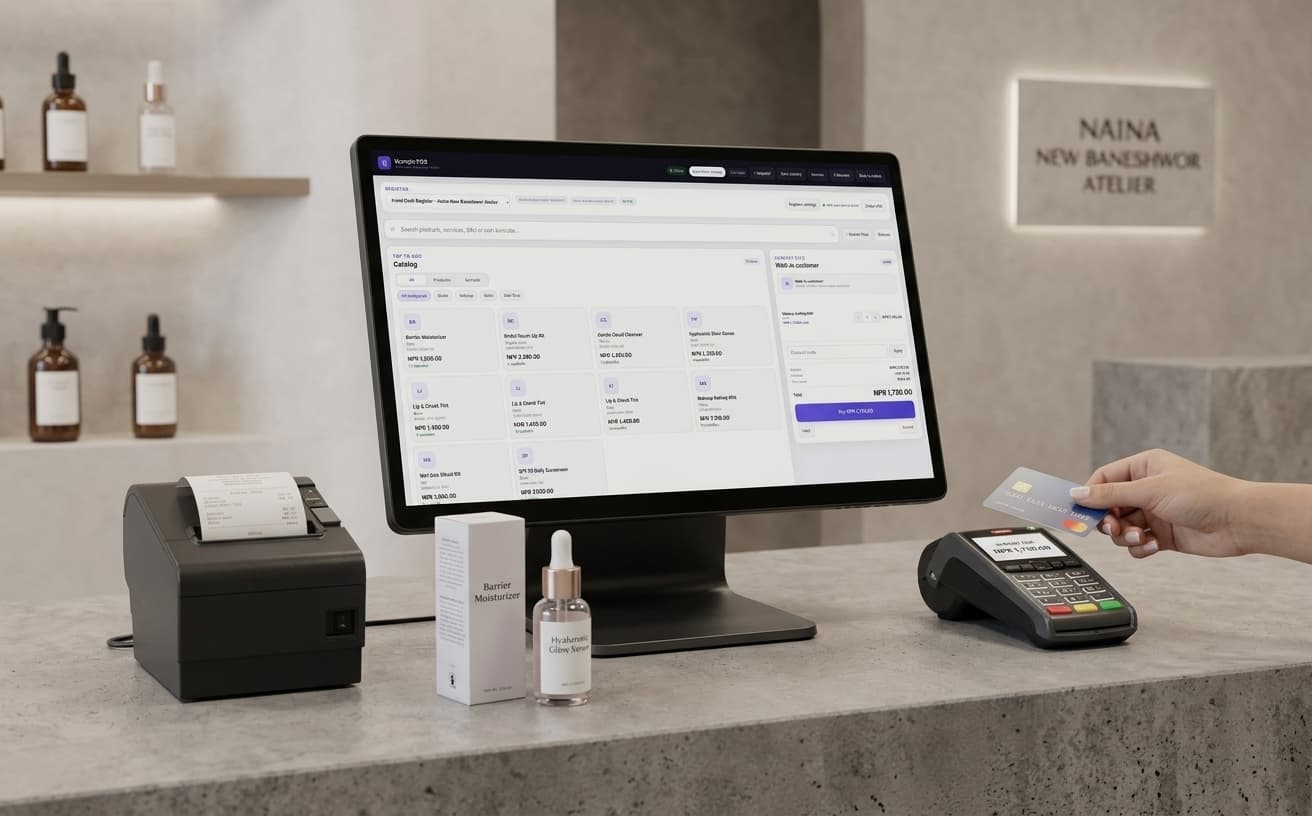
Front desk POS
Nyanglo point of sale for retail businesses
Features

Everything needed to open the shop—and keep it running.

Start with a branded online store, then bring inventory, counter sales, fulfilment and reporting into the same operational picture.
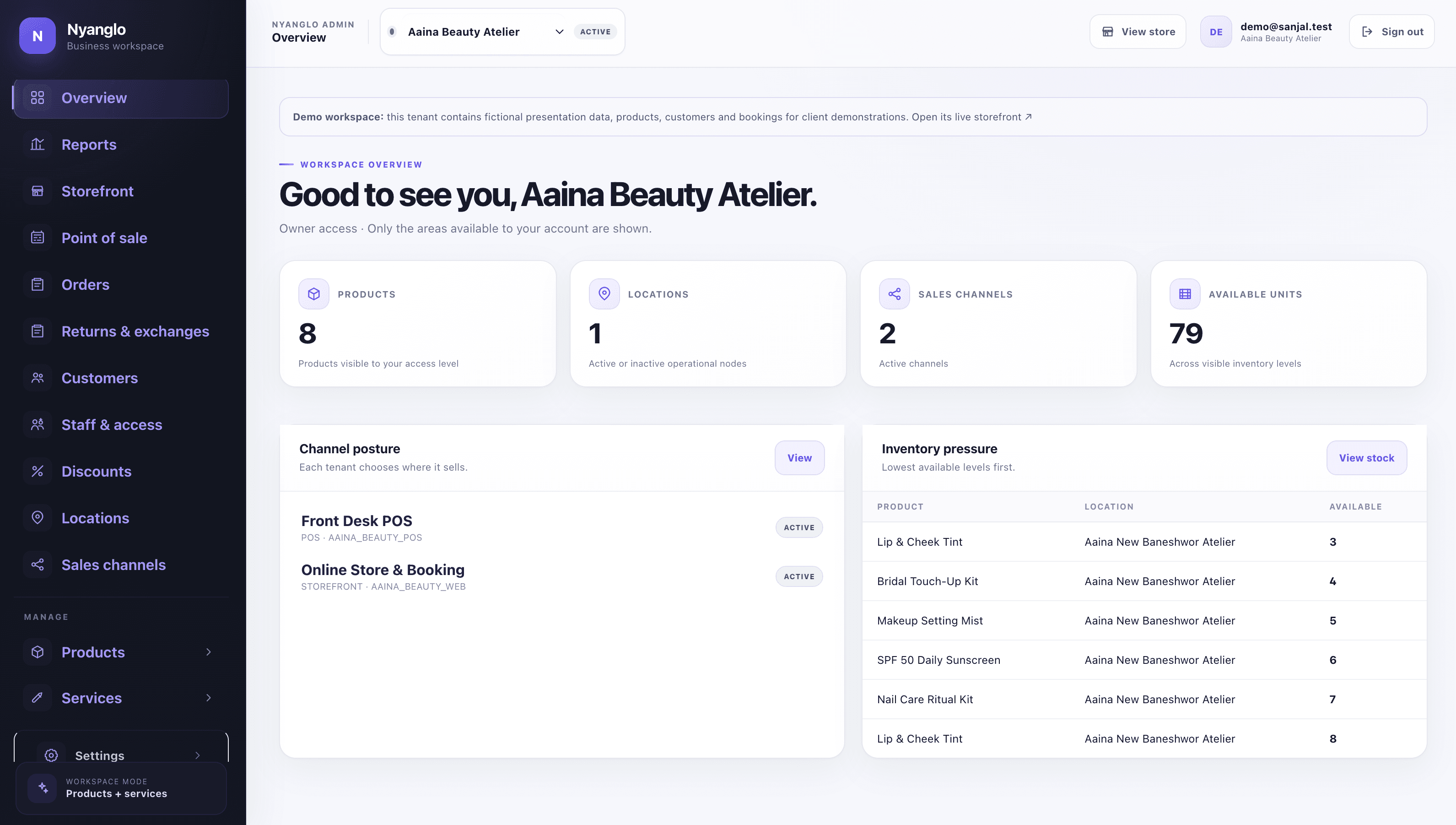
Business overview
Retail catalog and operations dashboard in Nyanglo
One operational viewProducts · stock · orders · POS
▦

Catalog and variants

Organise products, options, SKUs, media, collections and channel visibility from one catalog.

◎

Inventory by location

Track available units and keep storefront and counter availability grounded in the same stock.

◇

Checkout and shipping

Apply live pricing, discounts, tax and configurable delivery rules before the order is confirmed.

↗

Orders and fulfilment

Move orders from payment through picking, delivery, completion, cancellation or refund.

⌁

Fast point of sale

Search or scan items, update the cart instantly, accept split tenders and issue receipts.

%

Returns and reporting

Process returns or exchanges while preserving inventory movement and financial history.

A shorter path to launch

From setup to a working customer journey.

Start with a guided template and add operational detail when it becomes relevant. Nyanglo keeps the underlying records connected as the business grows.

  1. 1
    Create products and variantsBegin with the right workspace and presentation.
  2. 2
    Set price and stockConfigure only the choices your customers and team need.
  3. 3
    Publish online and to POSConfigure only the choices your customers and team need.
  4. 4
    Fulfil, return, and reportUse the same records for day-to-day operations.
Included in the workflow

Built for the details behind Retail.

✓Variants and SKUs
✓Inventory by location
✓Storefront checkout
✓Offline-capable POS
✓Returns and exchanges
✓Invoices and reports
Interactive example

See the customer side before building your own.

The demo uses seeded catalog, pricing, resources, availability, checkout, and booking data. It is fictional and safe to explore.

Live storefront demoExplore the Aangan Market live store ↗
Start free

Build the version your customers can use—not another generic listing.

Create your free workspaceBack to Nyanglo